
If you run a tax relief, student debt, or credit repair shop, there’s a good chance you’re already on Logics CRM. It’s the most recognized name in the space and the platform we work with most closely, both for our own clients and through ongoing collaboration with the Logics team. We’ve spent enough time inside it to have a clear point of view on what it does well and where most operators are leaving capability on the table.
This post is about that capability. Not about replacing your CRM. About using more of what Logics already gives you, and about a couple of integrations we’ve built alongside the Logics team that are now available to everyone on the platform.
Why Logics is the standard
Logics has been the backbone of this industry for years, and the reasons are practical. The platform handles the case management, payment processing, and document workflow that tax relief, student debt relief, and credit repair operations actually need, and it has a network of CRM partners and integrations that smaller systems are still building. When new operators come into the industry, they almost always learn on Logics at their first shop, and they bring it with them when they start their own businesses. That continuity is one of the quiet reasons the platform stays at the top.
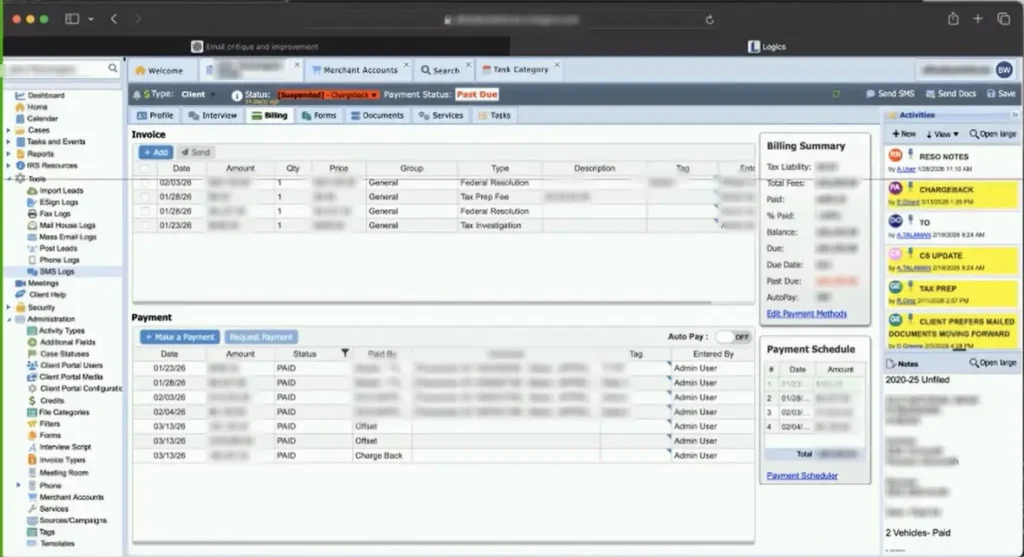
The other reason is depth. There’s a lot more inside Logics than most users see in their day-to-day work. The most valuable parts of the platform are often the ones that take the longest to discover.
The task pane is where the real leverage is
The single feature inside Logics that we find ourselves coaching clients on most often is the task pane. Logics is built around a task-driven workflow, and the operators who use it that way tend to scale much further than the ones who run their day off memory and email reminders.
Think of a manufacturing plant. There’s a warehouse, executive offices, admin, shipping. All of that is real, and all of it is necessary. But the assembly line is the only place actual work gets done. Everything else exists to feed it. A CRM works the same way. The task pane is the assembly line. When a call ends, the agent creates a task. When that task hits its deadline, a trigger fires and the next task spawns automatically. The agent logs in, runs the queue, and clocks out when the queue is empty.
That’s how Logics was designed to be used, and once you set it up, it’s the most powerful workflow tool in the platform. A case manager driving their day from the task pane can handle a multiple of the volume that the same person could handle by clicking through individual client files. Triggers catch the things humans forget. Files don’t sit. Welcome calls happen on time. Proof-of-income follow-ups go out automatically when a deadline lapses.
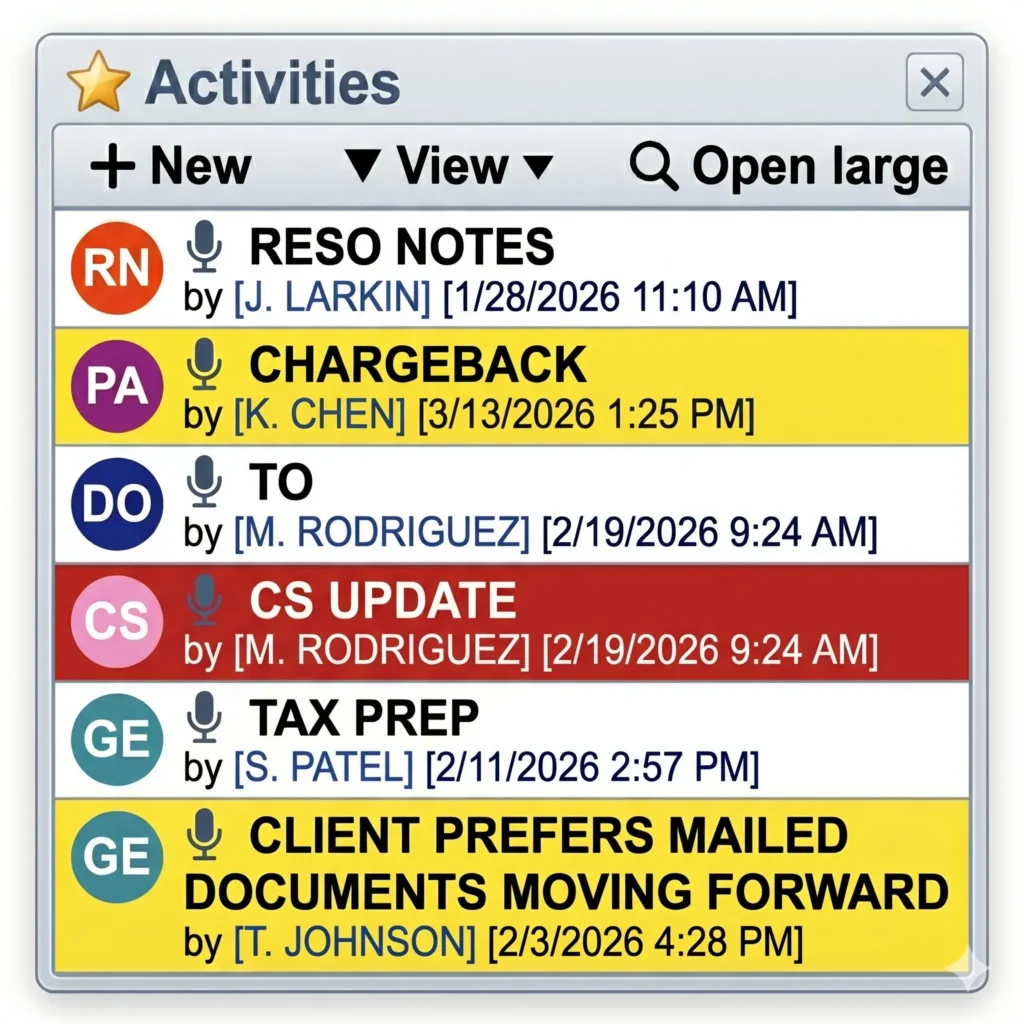
Most operators we work with reach a revenue plateau somewhere between the thirty and fifty thousand a month range running their CRM by memory. The next jump usually comes from turning on the task pane and the trigger logic that’s already built into Logics. We help configure that workflow when clients are ready, but the engine itself is something Logics built into the system from the start.
Two integrations we’ve built with the Logics team
Most of our work happens inside the CRM, but a handful of times we’ve had a client need that required collaborating directly with Logics to extend the platform. Two of those have rolled out across the broader Logics user base, and both are worth understanding if you’re running payment processing through the system.
Customer vault integration through NMI
When a payment processor is authorized to update credit cards on file, the cards have to be stored in a system the processor controls. The card brands won’t update card numbers stored in arbitrary third-party databases. They want to know that the entity asking for the new card number is the same entity running the transactions.
Most CRMs in this industry, Logics included, were originally designed to store payment information in their own database. That made sense for the standalone use case, and it meant our customer vault couldn’t be the source of truth for cards belonging to our clients on Logics. We worked with the Logics team to build an integration that points the CRM at our customer vault through an NMI gateway. From the user’s perspective, the experience is identical. They see the last four digits of the card on the customer’s profile and run payments the way they always have. The card itself lives on our servers, and our credit card updater keeps it current as new numbers are issued.
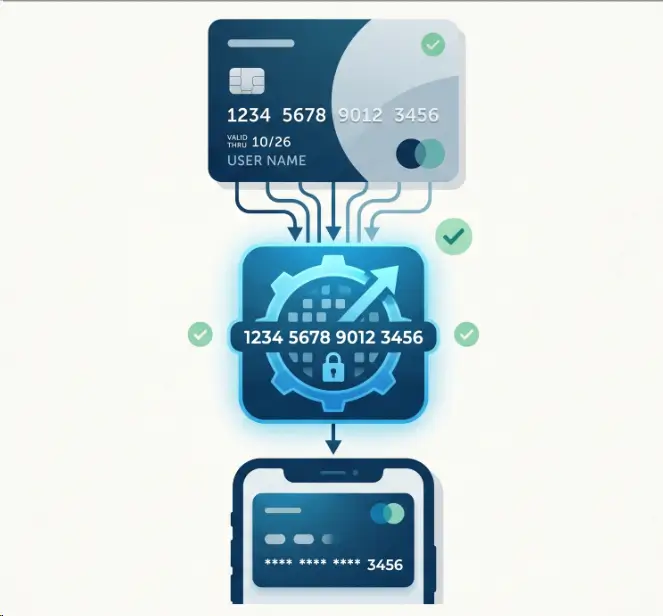
That integration now exists for any Logics user with an NMI gateway, and it makes the Logics payment experience more capable than it was before.
Accurate ACH settlement status
ACH settlement is more complicated than credit card processing because the actual outcome of a payment isn’t known for four to seven days after the request goes out. The transaction is technically successful the moment it leaves the CRM, but the real result, whether the funds actually settled, comes back later in a different field on the bank’s report. Mapping that report correctly into a CRM is a nuanced job, and one of our clients was seeing a gap between what their CRM showed as successful payments and what was actually hitting their bank account.
We worked with the Logics team to refine how the platform reads ACH settlement reports so that the status displayed in the CRM reflects the actual settlement outcome rather than just the initial submission. The change benefits anyone running ACH on Logics and makes the platform’s accounting and retention workflows more accurate by default.
A general reminder for anyone running ACH on any platform: always reconcile your CRM’s payment status against your real bank deposits at month-end. ACH timing makes this easy to overlook, and the difference between submission status and settlement status matters for both your books and your client retention process.
When operators are ready to level up
We get asked sometimes why we don’t just configure every new client’s CRM the way we’d ideally run it from day one. The honest answer is that workflow changes only stick when the operator feels the need for them.
You can teach someone the right way to swing a golf club, but until they’ve shanked enough balls to feel why their current swing is failing them, the lesson doesn’t stick. The same is true of CRM workflow. Most operators get to a respectable monthly revenue running things their own way. Then they hit a ceiling. Chargebacks tick up. The bank pulls a reserve. Returns spike. That’s the moment the conversation shifts from “this is how I’ve always done it” to “what should I be doing differently.”
That’s when we get the most leverage with our clients. We turn on the task pane workflow, build out the triggers, configure the integrations, and the next ceiling usually shows up at three to five times the previous revenue. Then the cycle repeats and we go in again.
Takeaways
Logics is a workhorse, and operators who learn to use it the way it was designed tend to outlast the ones who don’t. The platform you choose is a smaller part of the equation than people think. Two shops can run the exact same CRM with the exact same client list and produce wildly different revenue, because one of them is using the task pane and the other is running the day from memory.
If you’re already on Logics, the highest-leverage move is auditing what’s actually being used inside the system you have. Are tasks being created when calls end? Are triggers firing when deadlines pass? Is your ACH success rate being reconciled against your real deposits? Is your credit card updater wired into a customer vault, so cards stay current as they expire?
These are operator-level questions, and they’re the kind of work we do alongside our clients on Logics every month. The CRM gives you the tools. Knowing which ones to use, and when, is what tends to separate the shops that grow from the shops that stall.
Mint Group works with payment processors, lenders, and CRM platforms across tax relief, student debt, and credit repair. To talk about Logics, your processing setup, or where your operation is ready to scale, get in touch.